

The 3 Cousins with Overly Similar Names
You've typed "Divi" somewhere, and ever since, you've been seeing three cousins with overly similar names: Divi (the theme), Divi Builder (the plugin), Theme Builder (the feature). No wonder it's confusing. I've seen more than one site go hiking with the wrong backpack — and end up taming wild <div>s with a spoon. Here, the goal is clarity and peace of mind... with a few jokes to keep the blood flowing.
What Exactly Does 'Divi' Mean?
Before choosing, you need to name things correctly (and save some nerves in the process).
- The Divi Theme: a complete WordPress theme that natively integrates Divi's visual editor. In other words, it provides both the wrapper (the theme) and the tool for designing your pages (the builder). It's the "all-in-one" package.
- The Divi Builder (plugin): the builder in plugin form. It installs on any WordPress theme to bring the Divi visual editor to that theme. If you like your current theme but want the power of the Divi editor, this is it.
- The Theme Builder (feature): the interface that extends the builder's power to theme templates (headers, footers, post templates, 404, archives, products...). This is where you create your global templates and assign them wherever you want.
Quick Summary: Divi (theme) = integrated theme + builder. Divi Builder (plugin) = the builder, to be added to another theme. Theme Builder = the workshop that shapes your headers/footers and templates across the entire site.
The Divi Theme: when It's the Right Choice
Choosing the Divi theme is like taking the most direct route: everything is designed to work together.
What You Gain
- Maximum integration. The Divi Theme Options centralize logo, palette, SEO, performance, advertisements, etc. Convenient for global settings without searching through ten menus.
- Immediate access to the Theme Builder. You create headers, footers, post/product templates, 404s... without touching your theme's PHP.
- Consistent ecosystem. Divi Library (layouts, sections, modules), portability, and a bunch of ready-to-use layouts to get started quickly.
When I Recommend It
- New project with no existing theme constraints; need to get things done quickly and cleanly.
- Teams & freelancers who want reproducible standards (presets, global styles, templates) and a single settings hub.
- E-commerce sites that will benefit from the Theme Builder + dedicated WooCommerce modules (even better with Divi 5).
Common Caveat (and how to avoid it)
You adopt Divi's visual DNA from the start. This is an advantage 99% of the time. If you already have a heavily customized theme, it's better to evaluate the Divi Builder as a plugin (see next section) to avoid unnecessary migration.

The Divi Builder Plugin: when It's the Unsung Hero
The Divi Builder (plugin) helps you keep your current theme while benefiting from the Divi visual builder.
What You Gain
- No theme breakage: you keep the identity (and settings) of your favorite theme, but you edit your pages/posts with drag-and-drop thanks to Divi.
- Broad compatibility: the plugin is designed to work with most modern themes (Astra, Hello, etc.).
- All the builder fundamentals: modules, library, role editor, responsive preview... in short, the editor you know.
What You Don't Get (or Get Differently)
- No Divi Theme Options (since... you're not using the Divi theme). Global settings remain in your theme's customizer / options.
- Theme Builder: historically tied to the Divi ecosystem, it is now usable beyond just the Divi theme via packs/portability and the builder's ecosystem — but your final possibilities will always depend on the host theme's hooks/capabilities. (Check the theme + builder combo, especially for fully custom headers/footers.)
When I Recommend It
- You have a very specific magazine/blog theme (e.g., Extra) or a polished custom theme, and you just want the editor.
- You are migrating gradually: first the builder for key pages, then, perhaps, a switch to the Divi theme later (without losing layouts).
Note: if you are already using the Divi theme, do not install the Divi Builder plugin (it's already included). Avoid duplication.
Practical Use Cases (Choose without Hesitation)
Scenario A — "I'm starting from scratch and I want to be efficient"
Go with the Divi theme. You'll get integration, theme templates (Theme Builder), global options, and a proven ecosystem. Less assembly, more production.
Scenario B — "I love my current theme but I want the Divi visual editor"
Install the Divi Builder plugin. You keep your look & feel, you gain the builder. Perfect for a blog using Astra, an already designed showcase site, etc.
Scenario C — "I have a media/magazine site"
Check out Extra, Divi's sister theme designed for magazines ("category builder" modules, post grids). If you're already using Extra, the builder is included; otherwise, the Divi Builder plugin + your favorite magazine theme works very well.
What's Identical between the Divi Theme and Divi Builder Plugin
- The same visual editor (front-end drag-and-drop), the same modules, the same design logic.
- Divi Library for saving / reusing / exporting sections, rows, and modules.
- Templates & presets to speed up production.
These points are common to both, the difference is where the editor integrates (within a complete theme, or into another theme via plugin).
How Does the New Divi 5 Version Affect this Choice?
Divi 5 is the re-architecture that accelerates, stabilizes, and opens up the ecosystem (API-first, new features like Loop Builder, Flexbox improvements, etc.). The consequence for you: the "theme vs. plugin" choice remains valid, but the builder's capabilities are progressing and integrate better with theme templates.
- Loop Builder (Divi 5): create dynamic lists (posts, products, CPTs) with any Divi element, without being limited to a fixed "loop" module. Ideal for your blog archives, product listings, event cards, etc.
- Design/performance evolutions: parameter filters, sharper Flexbox, workflow improvements. All of this positively impacts your productivity, regardless of the path (theme or plugin).
For an overview of Divi 5 resources to follow (official docs, expert guides, FR community), I've compiled a useful selection here to inform your decisions and your monitoring.
For more information and to encourage you to switch to the new Divi 5 version, we invite you to read the article titled "DIVI 5: When to Make the Leap?" This article details the new features, performance improvements, and reasons why this update could transform your user experience. Don't miss this opportunity to discover everything Divi 5 has to offer!
Prerequisites and Access to Divi 5
To put all this into practice, you need three key elements. First, Divi 5 🔗 the new and latest version also called Divi Pro. Next, if you haven't migrated yet, Divi Builder 🔗 lets you start immediately on your current theme. Finally, for an optimized environment without hosting hassles, Divi Hosting 🔗 is preconfigured with Divi and Redis—ideal if you're starting from scratch or looking to eliminate server bottlenecks.
Best Practices (No Matter which Side You're on)
- Build "Global" Upfront. Define your global colors, fonts, and styles (presets), then apply them. You'll avoid repetitive micro-adjustments and visual inconsistencies.
- Leverage the Divi Library. Save your reusable sections (hero, pricing, testimonials) and export them from one site to another. It's your LEGO brick box.
- Use the Theme Builder for templates. A well-thought-out post template + a clean archive template = consistency and healthier SEO.
- Test the theme + plugin combo. If you go with the Divi Builder (plugin), do 3 quick checks: header/footer, single/archive templates, WooCommerce.
- Leverage Divi 5 When Relevant. Loop Builder for your dynamic lists, Flexbox for clean and lightweight layouts.
Quick Comparison Table (Useful when your Brain is Overloaded)
| Criterion | Divi Theme | Divi Builder (plugin) |
| Nature | Complete theme with integrated builder | Builder only, to be added to any theme |
| Global settings | Centralized Divi Theme Options | Global settings managed by the host theme |
| Theme Builder (templates) | Integrated, seamless end-to-end | Possible, but depends on the host theme's capabilities |
| Deployment speed | Very fast (consistent single stack) | Fast if the theme is healthy and well-coded |
| Ideal scenario | New site, complete redesign, need for integration | Keep an existing theme + gain the Divi editor |
| To Avoid | — | Install in addition to the Divi theme (duplication) |
And what about Divi Extra?
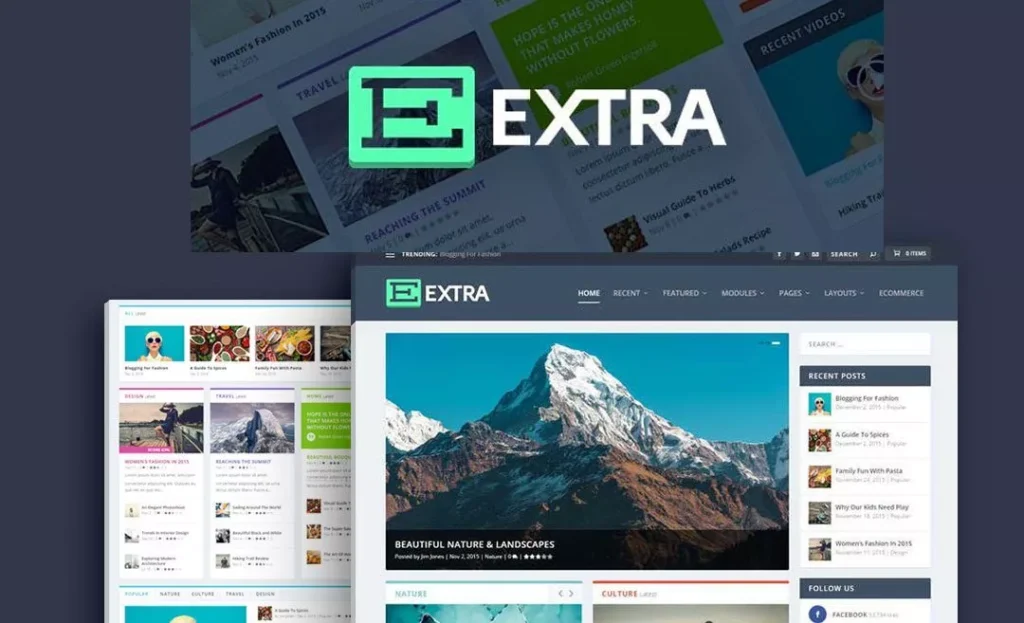
Extra theme🔗 is the other theme by Elegant Themes, designed for blogs/magazines with specific category modules. It includes the builder and addresses editorial needs very well. If your project is editorial, Extra + Theme Builder makes sense; otherwise, the Divi theme remains the versatile standard.
Note that the Extra theme is not available with Divi 5. Here's what support says:
"The Extra theme will indeed be compatible with Divi 5 as an integral part of the Divi ecosystem. Although Divi 5 introduces a new architecture, Divi 5 updates and features will eventually extend to the Extra theme. However, there is no precise timeline for when all Divi 5 features will be available in Extra.
The Extra theme will continue to receive updates alongside Divi 5. While Divi is prioritized, there are no plans to abandon support for the Extra theme. It will eventually integrate Divi 5 features, but again, there is no precise timeline for the addition of all new features ."
Examples of Well-Calibrated Decisions
- SME launching a showcase site + blog: Divi theme, Theme Builder for header/footer, post template + Loop Builder for the post list. You have a scalable foundation.
- Existing blog using Astra with strong customization: keep Astra, install Divi Builder (plugin) for visual editing; test the compatibility of key templates.
- Online magazine: test Extra if you're starting from scratch, or the Divi Builder plugin if you already have a magazine theme you love.
Common Pitfalls (Defused for You)
- Installing the plugin and the theme. Unnecessary and risky (conflicts), the builder is already in the Divi theme.
- Confusing "Divi Builder" and "Theme Builder". The first = the page editor; the second = the theme template workshop. They complement each other, don't interchange them.
- Forgetting your goals. If your priority is execution speed, the Divi theme simplifies things. If your priority is to preserve an existing theme, take the plugin.
And Tomorrow? (Divi 5, Migration, Monitoring)
Divi 5 continues to bring powerful building blocks (Loop Builder, workflow improvements, better performance). If you are in a migration phase or upskilling, keep an eye on official publications and recognized experts — this is the method I use to build useful and up-to-date guides.
To sustainably structure your own knowledge base or migration roadmap, the pillars / clusters logic, a "Divi 5 Bible," and equipped monitoring change everything (fewer hiccups, calmer decisions).
.
Conclusion (the Least Painful Path)
- Are you starting from scratch or do you want seamless integration and global templates? Get the Divi theme.
- Love your current theme but dream of a robust visual builder? Go with the Divi Builder (plugin).
- In any case, you get the same Divi visual editor, the library, and continuous evolution (hello Divi 5). Just remember to test critical pages and, if needed, start small before expanding.
.
References (Useful Selection)
- Difference between Divi theme vs Divi Builder (plugin), uses & later switch.
- Install the Divi Builder (plugin) and... do not install it if you use the Divi theme.
- Theme Builder: theme templates (headers, footers, single, archives, 404, etc.).
- Divi Theme Options (global settings).
- Divi Library and portability.
- Divi 5: context, exclusives, Loop Builder.
Frequently Asked Questions (Clear Answers)
Faut-il acheter à la fois le thème et le plugin ?
No. The Elegant Themes subscription includes both, as well as other tools. No need to double up.
Puis-je passer du thème Divi au plugin plus tard ?
Yes. Your layouts remain, the Divi Builder (plugin) takes over under the new theme. Convenient for changing direction without redoing everything.
Dois-je installer le plugin si j’utilise le thème Divi ?
Definitely not. The builder is already built into the theme, so no additional plugin is needed.
To install the theme, feel free to read our article "How to set up and install Divi 5 on WordPress"
Qu’en est-il des headers/footers personnalisés ?
The Theme Builder allows you to create global templates (header, footer, single, archive, 404, etc.). With the Divi theme, it's plug-and-play. With the plugin on another theme, check that the host theme doesn't impose limits or override certain hooks.
Quelles sont les bonnes pratiques, quel que soit votre camp ?
Build globally upfront, leverage the Divi Library, use the Theme Builder for templates, test the theme + plugin combo, and take advantage of Divi 5 when it makes sense.
Tools marked with 🔗 are affiliate links. If you make a purchase, I earn a commission at no extra cost to you. For more details, you can view the full transparency disclosure page.

